Mounting and antenna placement
Mount OnFlight Hub+ securely inside the cockpit, clear of aircraft controls. The mounting flange has four through-holes sized for #6-32 screws. The optional tripod adapter attaches to these holes and provides a central 1/4-20 mount.
For accurate aerobatic data, use the mounting flange, optional tripod adapter, or 3M Dual-Lock between the flat bottom of OFH+ and the glareshield.
The pilot in command (PIC) is responsible for checking that OnFlight Hub+ is securely mounted and does not pose a hazard to the aircraft or its occupants.
Check the actual unit and mounting hardware before installation.
Mounting hole pattern
OFH+ shares the same mounting hole pattern as OnFlight Hub V2.
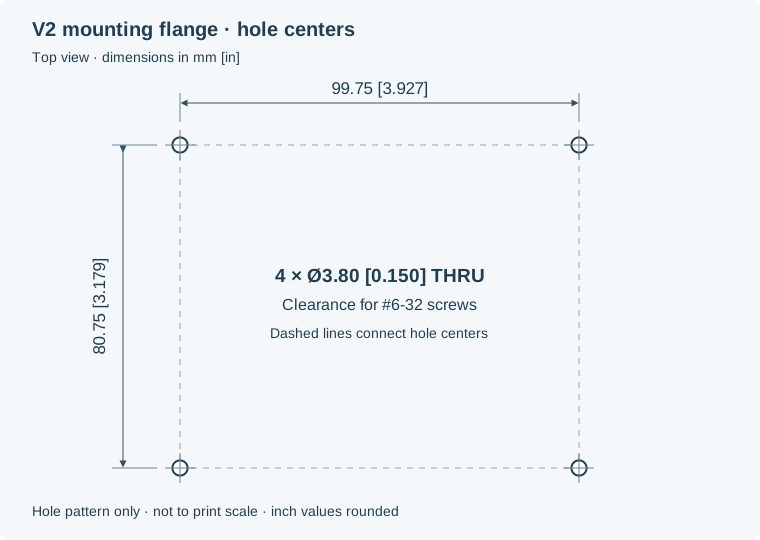
The four through-holes are spaced 99.75 × 80.75 mm (3.927 × 3.179 inches) center to center. Each hole is 3.80 mm (0.150 inches) in diameter for clearance around a #6-32 screw. The diagram is not a full-size drilling template.
Integrated antenna
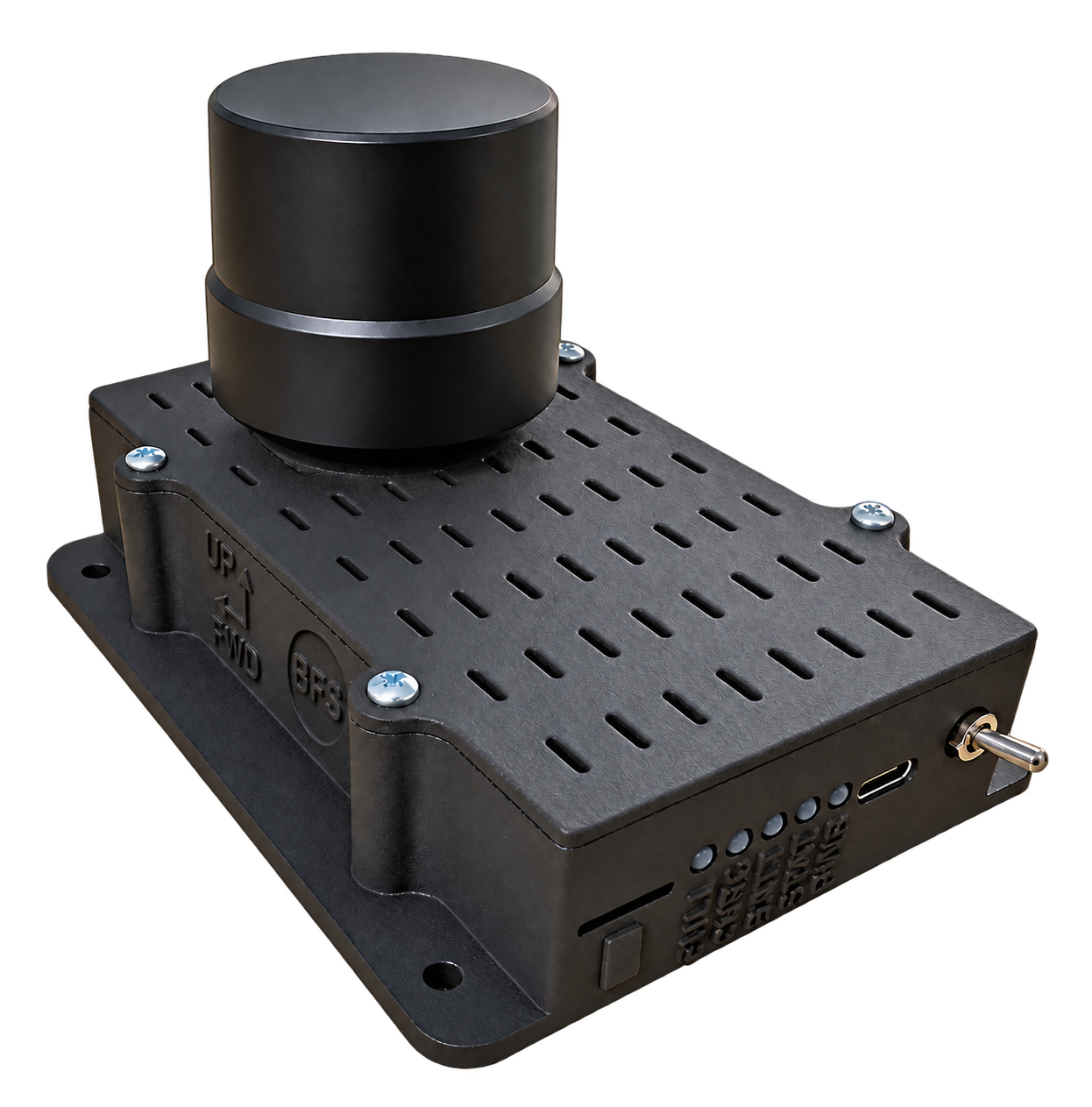
The helical antenna is mounted on top of the case. Position OFH+ so the antenna has a clear view of the sky. The helical antenna supports reception through unusual aircraft attitudes; it still needs suitable satellite reception for accurate navigation.
External antenna
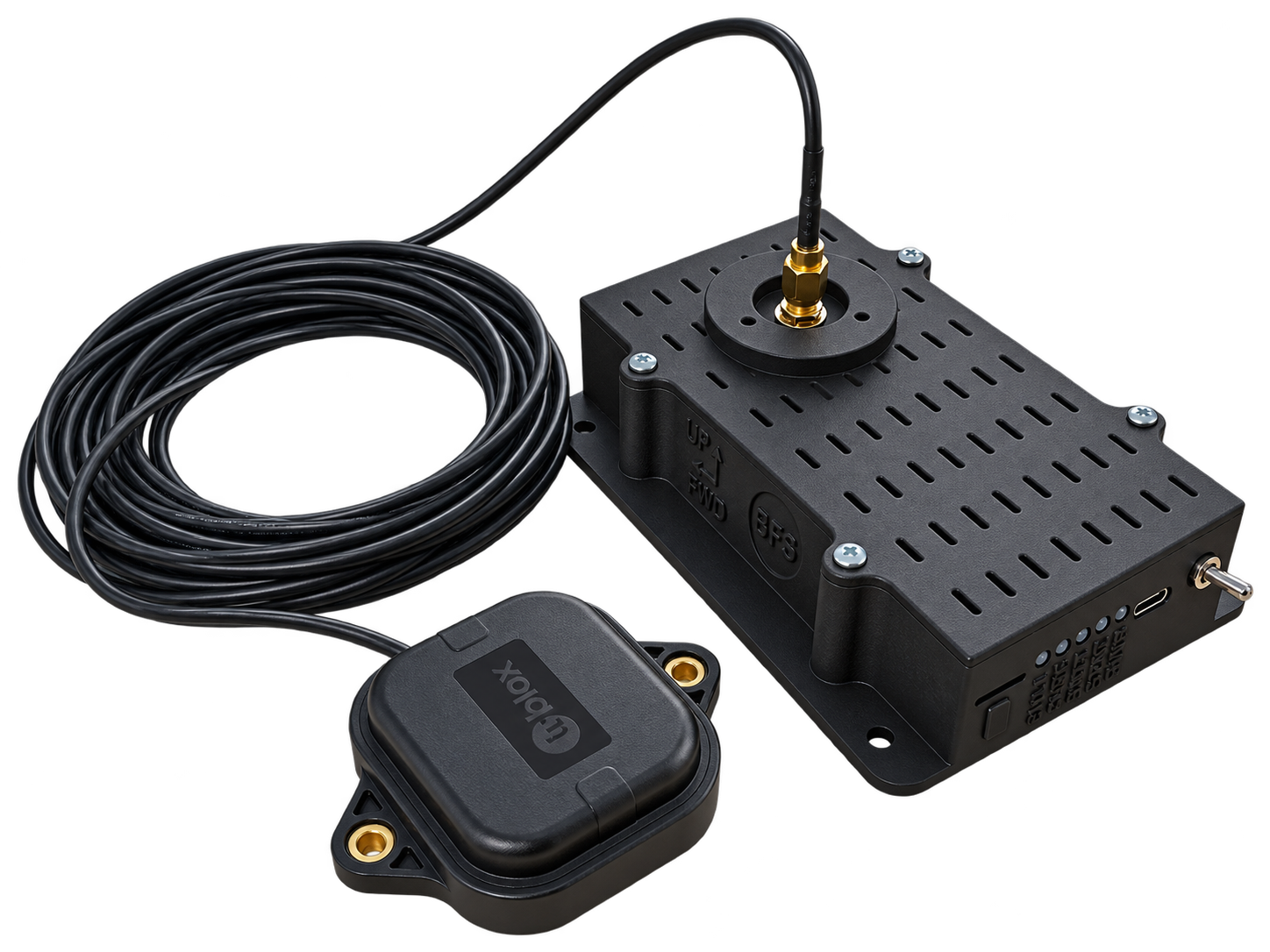
Mount the unit where it is secure and accessible, and place the external antenna where it has a clear sky view. Secure the antenna and cable so they cannot interfere with flight controls or be pulled loose. Check GNSS reception after installation using the configuration page.
Coordinate frames
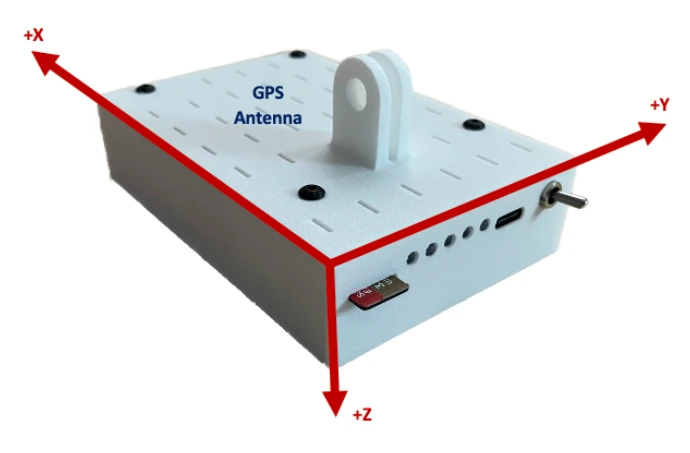
Use the Forward and Up markings on the OFH+ case to orient the unit. In the default installation, Forward points toward the aircraft’s nose and Up points upward; +Z points down, opposite the Up marking.
OFH+ and the aircraft use right-handed frames. The aircraft frame is:
| Axis | Positive direction |
|---|---|
| X | Forward, out the nose |
| Y | Toward the right wing |
| Z | Down |
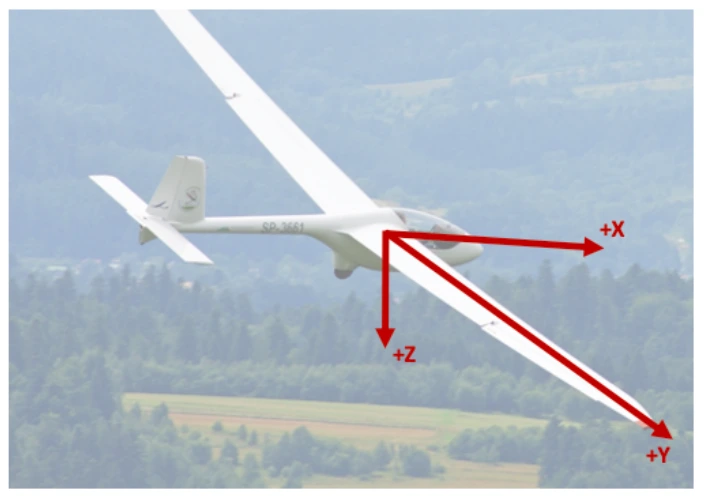
You can align OFH+ physically with the aircraft, or configure a rotation matrix to transform measurements into the aircraft frame.
Rotation matrix
The configuration matrix C maps a column vector in the OFH+ frame into the aircraft frame:
v_aircraft = C × v_hub
The default is the 3 × 3 identity matrix. In the following table, each code value is one row of C; enter rows in the order shown.
| Physical direction of the OFH+ axes | Row 1 | Row 2 | Row 3 |
|---|---|---|---|
| +X forward, +Y right, +Z down (default) | 1, 0, 0 |
0, 1, 0 |
0, 0, 1 |
| +X aft, +Y left, +Z down | -1, 0, 0 |
0, -1, 0 |
0, 0, 1 |
| +X forward, +Y up, +Z right | 1, 0, 0 |
0, 0, -1 |
0, 1, 0 |
| +X forward, +Y down, +Z left | 1, 0, 0 |
0, 0, 1 |
0, -1, 0 |
| +X down, +Y aft, +Z left | 0, -1, 0 |
0, 0, -1 |
1, 0, 0 |
| +X down, +Y forward, +Z right | 0, 1, 0 |
0, 0, 1 |
1, 0, 0 |
Orientation changes save automatically. Wait for All changes saved after entering the complete matrix.