Mounting
OnFlight Hub is designed for installation inside the cockpit.
V1: This version includes an integrated GoPro-style mount on the top of the case and a 1/4-20 (tripod) mount on the bottom. On V1, the bottom tripod insert is 1/4-20 with 3/8 inch of available thread. Do not insert a screw deeper than 3/8 inch; damage may occur.
V2: The current version includes a flange with four through-holes sized for #6-32 screws. A tripod adapter is available separately, which ties into the #6-32 screw holes and provides a threaded 1/4-20 mount in the center of the unit.
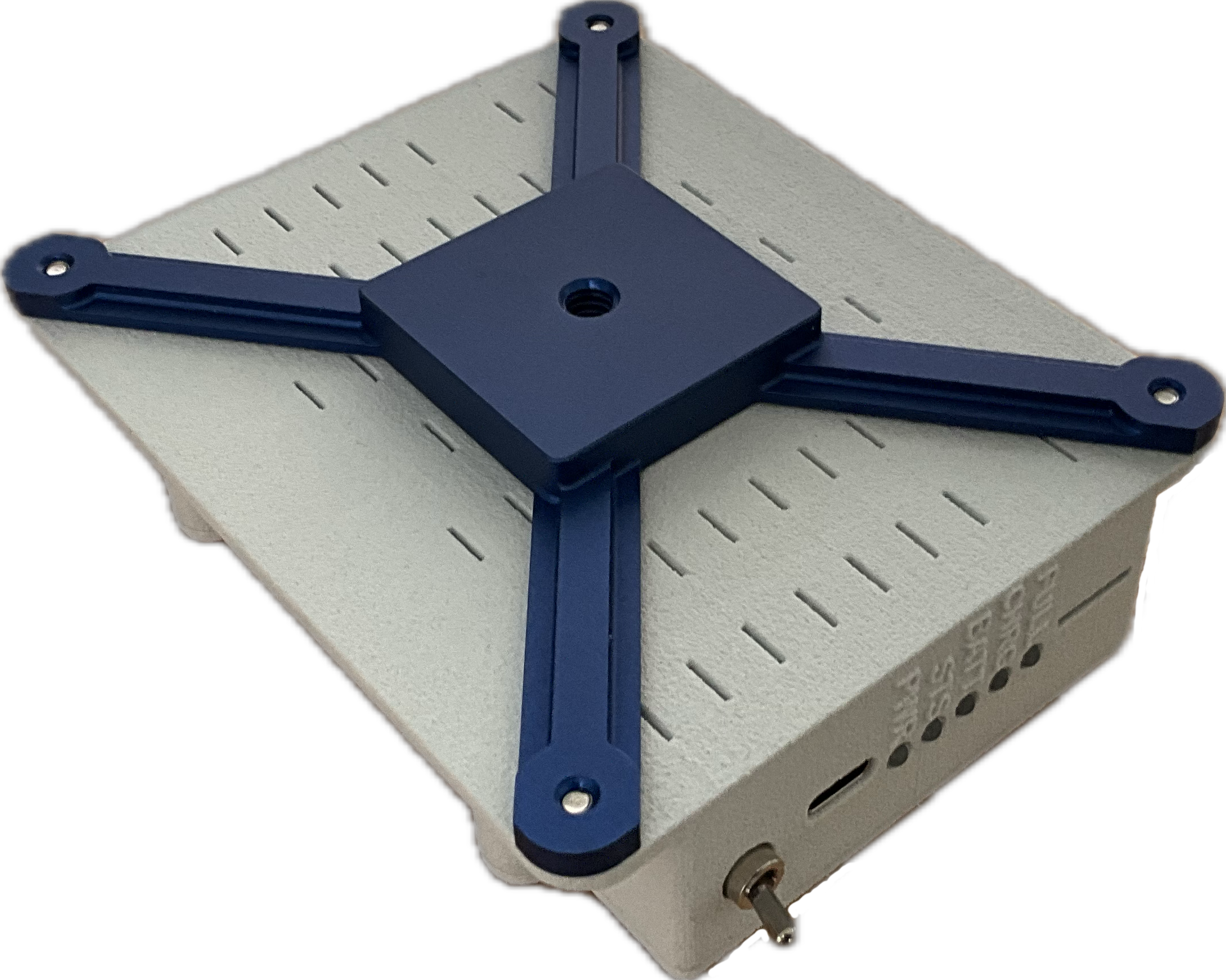
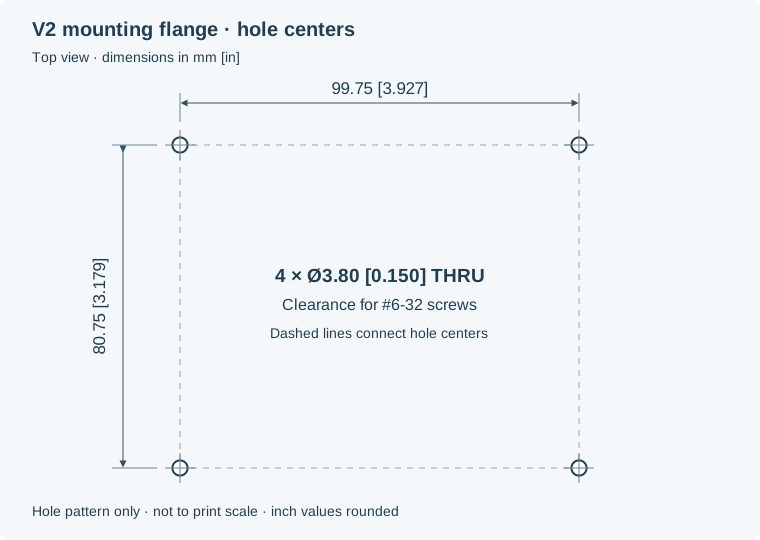
The hole pattern for V2 is below, if you would like to fabricate your own mounting system.
For accurate aerobatic data, we recommend using the tripod mount, mounting flange, or hook-and-loop fastener between the OnFlight Hub’s flat bottom and the glareshield; 3M Dual-Lock is recommended. The GoPro-style mount enabled engine vibration to add noise to the accelerometer data, which is why this option was removed in subsequent versions.
The four through-holes are spaced 99.75 × 80.75 mm (3.927 × 3.179 inches) center to center. Each hole is 3.80 mm (0.150 inches) in diameter for clearance around a #6-32 screw. The diagram is not a full-size drilling template.
Coordinate frames
The Hub and aircraft use right-handed frames. The aircraft frame is:
| Axis | Positive direction |
|---|---|
| X | Forward, out the nose |
| Y | Toward the right wing |
| Z | Down |
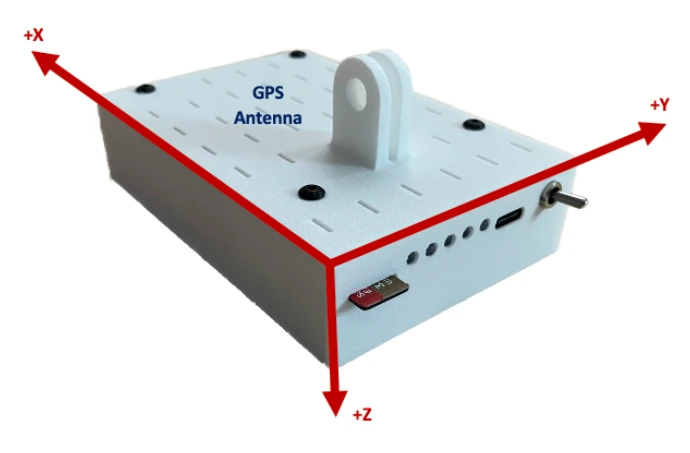
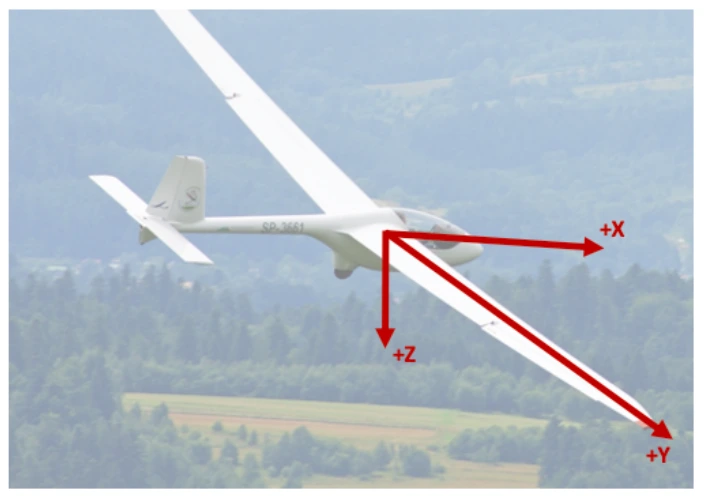
You can align the Hub physically with the aircraft, or configure a rotation matrix to transform measurements into the aircraft frame.
Rotation matrix
The configuration matrix C maps a column vector in the Hub frame into the aircraft frame:
v_aircraft = C × v_hub
The default is the 3 × 3 identity matrix. In the following table, each code value is one row of C; enter rows in the order shown.
| Physical direction of the Hub axes | Row 1 | Row 2 | Row 3 |
|---|---|---|---|
| +X forward, +Y right, +Z down (default) | 1, 0, 0 |
0, 1, 0 |
0, 0, 1 |
| +X aft, +Y left, +Z down | -1, 0, 0 |
0, -1, 0 |
0, 0, 1 |
| +X forward, +Y up, +Z right | 1, 0, 0 |
0, 0, -1 |
0, 1, 0 |
| +X forward, +Y down, +Z left | 1, 0, 0 |
0, 0, 1 |
0, -1, 0 |
| +X down, +Y aft, +Z left | 0, -1, 0 |
0, 0, -1 |
1, 0, 0 |
| +X down, +Y forward, +Z right | 0, 1, 0 |
0, 0, 1 |
1, 0, 0 |